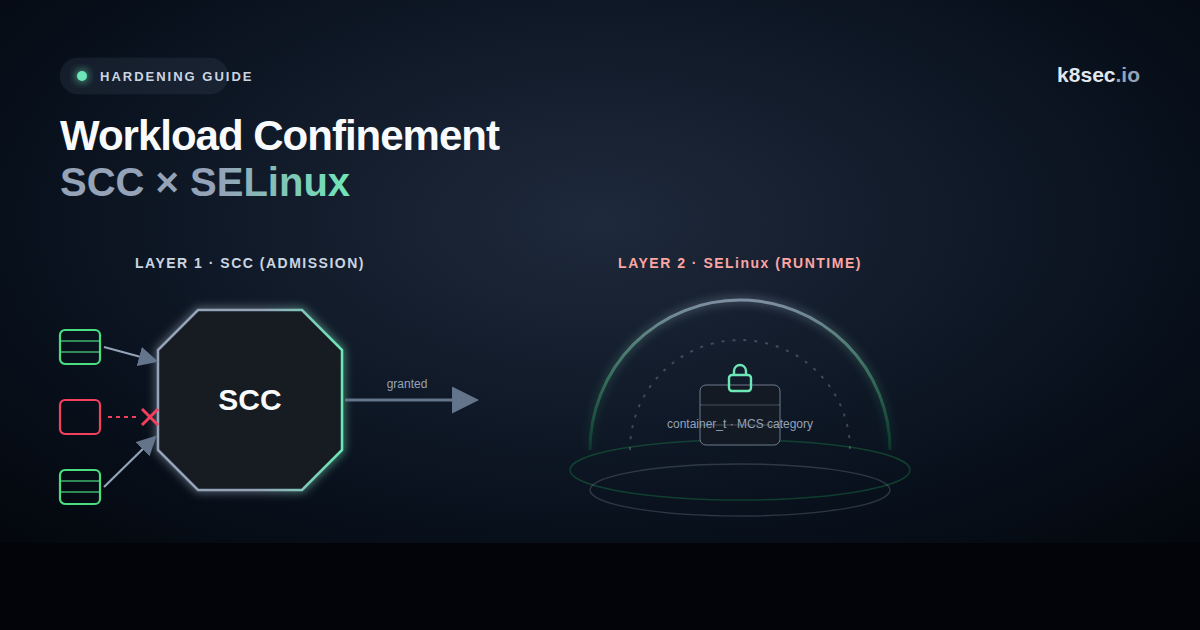
Two Questions, Two Layers
"How does OpenShift stop a container from doing something dangerous?" is really two questions with two different answers, enforced by two different subsystems at two different times:
- What may a pod request? — decided at admission by Security Context Constraints (SCC). Can it be privileged? Run as UID 0? Add
CAP_SYS_ADMIN? Mount a hostPath? Share host namespaces? - What may a running container touch? — decided at runtime by the kernel via SELinux mandatory access control. Even a container that was allowed to run is still fenced by type enforcement and per-container MCS categories.
Teams conflate these and get burned both ways: they loosen an SCC thinking SELinux will still save them, or they lean on SCC and never notice SELinux was set to permissive. Confinement on OpenShift is the product of both layers — weaken either and the other is doing half the job.
The Two-Layer Model
Layer 1 — SCC: What a Pod May Request
An SCC is an admission-time policy object. Every pod is admitted under exactly one SCC, chosen from those its ServiceAccount is allowed to use (highest-priority wins). The SCC can reject the pod, mutate it (e.g. assign a UID from a range), or allow it. The built-ins span a wide risk range:
| SCC | Grants | Risk |
|---|---|---|
restricted-v2 (default) | non-root, drops ALL caps, no host access, seccomp RuntimeDefault | Low — the goal state |
nonroot-v2 | like restricted but caller picks the (non-zero) UID | Low |
anyuid | run as any UID including 0 (root-in-container) | Medium — image convenience, real cost |
hostaccess / hostmount-anyuid | host namespaces / host path mounts | High |
privileged | everything — privileged, all caps, host ns, any SELinux context | Critical — node-equivalent |
# list SCCs and their power
oc get scc

# which users/SAs/groups are bound to the dangerous ones?
oc adm policy who-can use scc/privileged
oc adm policy who-can use scc/anyuid

# review a workload's effective SCC (admission annotates it)
oc get pod <pod> -o jsonpath='{.metadata.annotations.openshift\.io/scc}{"\n"}'
The single most common OpenShift weakening:oc adm policy add-scc-to-user privileged -z my-sato "make the image work". That one command hands a ServiceAccount node-equivalent power. Treatprivileged/anyuidgrants as break-glass, reviewed and rare.
Layer 2 — SELinux: What a Running Container May Touch
Every container process runs under an SELinux type, normally container_t, and the container's files are labelled container_file_t. Type enforcement means a container_t process simply cannot read host files labelled otherwise — regardless of its UID or Linux capabilities. On top of that, OpenShift assigns each pod a unique MCS category pair (e.g. s0:c123,c456), so container A cannot touch container B's files even though both are container_t.
# the SELinux context OpenShift assigned this pod
oc get pod <pod> -o jsonpath='{.spec.securityContext.seLinuxOptions}{"\n"}'

# on the node: the container process type + MCS categories
ps -eZ | grep container_t          # system_u:system_r:container_t:s0:c123,c456
# host confirms SELinux is actually enforcing (not permissive!)
getenforce                          # must say: Enforcing
spc_t is effectively unconfined by SELinux. Privileged pods and certain host-access SCCs land here — which is exactly why an over-broad SCC removes Layer 2, not just Layer 1.setenforce 0 or a permissive node turns type-enforcement denials into audit-only — the whole runtime boundary silently collapses.container_t process reaches only its own container_file_t files in its category pair — the host and its neighbours are off-limits even to root-in-container.How They Compose
The two layers multiply. That is the key mental model:
| SCC (admission) | SELinux (runtime) | Effective confinement |
|---|---|---|
| restricted-v2 | container_t + MCS, enforcing | Strong — both walls up |
| anyuid (root-in-container) | container_t + MCS, enforcing | UID 0 inside, but SELinux still blocks the host |
| privileged (→ spc_t) | unconfined | None — node-equivalent |
| restricted-v2 | SELinux permissive | Half — a container escape has no runtime wall |
Read row 2 carefully: running as root inside a container is not the same as root on the host, precisely because SELinux container_t still fences it. That is the value Layer 2 adds — and the value you throw away when a pod reaches spc_t.
Where Confinement Breaks
privileged or anyuid lets ordinary workloads request node-equivalent power.On Vanilla Kubernetes (no SCC)
Upstream Kubernetes has no SCC. The equivalents:
- Layer 1 → Pod Security Admission (the
restrictedprofile ≈ restricted-v2) plus Kyverno/Gatekeeper for anything finer. - Layer 2 → the same kernel MAC, requested via
securityContext.seLinuxOptions(or AppArmor/seccomp on non-SELinux distros). The difference is OpenShift assigns MCS categories for you; on vanilla you must design it.
apiVersion: kyverno.io/v1
kind: ClusterPolicy
metadata: {name: restrict-like-scc}
spec:
  validationFailureAction: Enforce
  rules:
    - name: no-privileged-no-root
      match: {any: [{resources: {kinds: [Pod]}}]}
      validate:
        message: "No privileged, no root, drop ALL caps."
        pattern:
          spec:
            containers:
              - securityContext:
                  privileged: "false"
                  runAsNonRoot: true
                  allowPrivilegeEscalation: "false"
                  capabilities: {drop: ["ALL"]}
Advanced Techniques
Beyond "keep the defaults", the two layers become a genuine confinement tool when you author your own policy instead of reaching for the permissive built-ins.
Custom SCC instead of a blanket anyuid
When an image genuinely needs one deviation (say, a fixed UID or a single capability), don't grant anyuid/privileged — clone restricted-v2 and relax exactly one field. The workload gets what it needs; nothing else opens.
# start from restricted-v2, allow only NET_BIND_SERVICE, keep everything else locked
oc get scc restricted-v2 -o yaml > my-scc.yaml
# edit: metadata.name: bind-low-ports ; allowedCapabilities: ["NET_BIND_SERVICE"]
#       requiredDropCapabilities stays ["ALL"]; runAsUser stays MustRunAsRange
oc create -f my-scc.yaml
oc adm policy add-scc-to-user bind-low-ports -z my-sa   # scoped to one SA
Author real SELinux policy with udica
For a workload that must touch a specific host path or socket, generating a tailored SELinux type with udica beats dropping to spc_t (unconfined). The container gets exactly the label transitions it needs and stays confined for everything else.
# inspect the running container's needs, generate a policy module
podman inspect <ctr> | udica my_workload
semodule -i my_workload.cil /usr/share/udica/templates/*.cil
# run under the tailored type — confined, but with just the access it needs
#   securityContext.seLinuxOptions.type: my_workload.process
Layer seccomp under both
SCC gates the request and SELinux fences filesystem access, but neither filters syscalls. Add seccompProfile: RuntimeDefault (the restricted-v2 default) — or a custom profile — so a container that is UID-confined and label-confined is also syscall-confined. Three orthogonal walls, not one.
# pods running unconfined by SELinux (spc_t / privileged) — the ones to justify
oc get pods -A -o json | jq -r '.items[]
  | select((.spec.securityContext.seLinuxOptions.type // "") == "spc_t"
        or (.metadata.annotations["openshift.io/scc"] // "") == "privileged")
  | "\(.metadata.namespace)/\(.metadata.name)"'

# live SELinux denials = attack attempts or mislabels (never "fix" with permissive)
ausearch -m AVC -ts recent 2>/dev/null | audit2why 2>/dev/null | tail -20
Audit & Hardening Checklist
- Inventory SCC grants.
oc adm policy who-can use scc/privilegedand.../anyuid— the list should be short, named, and justified. - Default to
restricted-v2. Fix images (non-root, arbitrary-UID-friendly) instead of grantinganyuid. - Keep every node
Enforcing. Alert ongetenforce != Enforcing; permissive is a cluster-wide hole. - Flag
spc_t/ privileged pods. They are unconfined at runtime — know each one and why it exists. - Watch SELinux denials.
ausearch -m AVC/ node audit logs surface both attacks and mislabels; don't "fix" a denial by going permissive.
# pods admitted under a dangerous SCC
oc get pods -A -o json | jq -r '.items[]
  | select(.metadata.annotations["openshift.io/scc"]
      | . == "privileged" or . == "anyuid" or . == "hostaccess")
  | "\(.metadata.namespace)/\(.metadata.name)  scc=\(.metadata.annotations["openshift.io/scc"])"'

# SELinux denials on a node (attacks or mislabels)
ausearch -m AVC -ts recent 2>/dev/null | grep -i container_t | tail
SCC and SELinux are not competing controls or duplicate paperwork — they answer different questions at different moments, and OpenShift's confinement is the product of both. The failure mode is always the same: someone loosens one layer for convenience ("just add anyuid", "just set it permissive to clear the denials") and quietly halves the boundary. Keep the default SCC restricted, keep every node enforcing, treat privileged/spc_t as the node-equivalent it is, and read your AVC denials instead of silencing them. Two walls, both up.
— k8sec Security Research
See which pods are running unconfined — and who granted them.
K8SEC correlates SCC assignments, privileged/spc_t pods, host mounts and node SELinux state, so you can spot the workload that quietly dropped a wall before an attacker does.
Explore K8SECSources: Red Hat OpenShift documentation on Security Context Constraints (built-in SCCs, assignment, restricted-v2) and container SELinux (container_t, MCS categories, spc_t); upstream Kubernetes Pod Security Admission and securityContext.seLinuxOptions; SELinux type-enforcement fundamentals. Commands are standard oc/kubectl; the risk matrix is k8sec's synthesis for defenders.